Volumetric Galaxy
A 3D volumetric galaxy.
Overview
A 3D volumetric galaxy.
- 3D Volumetric Rendering
- Customizable Colors
- Performance Optimized
A raymarched 3D spiral galaxy for Framer
Volumetric Galaxy renders a spiral galaxy as a true volume of glowing fog and light, not a flat picture. Because it is raymarched, the arms have depth you can look into, and the galaxy can tilt slightly on two axes while it turns. It works as a full-section background that makes a page feel vast.
You set spiral tightness, density, speed, rotation and colors in Framer's properties panel, and quality scales automatically.
Features
Volumetric rendering. Raymarched fog and light with real depth.
Spiral control. Tighten or loosen the arms, and make the galaxy denser or more transparent.
Motion. A slow, majestic swirl or a fast vortex, plus subtle rotation on the X and Z axes.
Auto quality. Scales from high-end desktops to phones.
Custom colors. Match the galaxy to your palette.
Where Volumetric Galaxy works best
Astronomy, science and education sites. A full-screen galaxy behind a course title or a mission statement sets the subject instantly.
AI and future-tech brands. A slow, dense galaxy in violet and blue behind a headline about scale ("Built for billions of requests") turns an abstract claim into a picture.
Game and sci-fi launches. A faster vortex with high tightness feels dramatic behind a game logo.
Section transitions. A short, full-width band of galaxy between two content sections adds a cinematic pause on a long page.
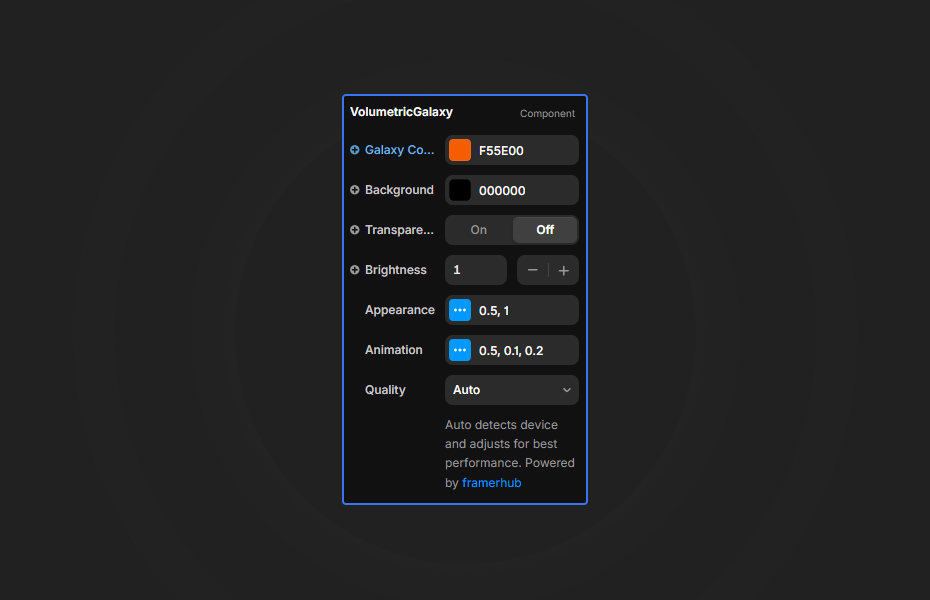
How to Use
Customization
Appearance
- Spiral Tightness: how wound up the arms are
- Density: how thick the galaxy fog looks
- Colors
Animation
- Speed: slow swirl to fast vortex
- Rotation: subtle 3D rotation on the X and Z axes
Quality
- Auto (recommended)
Starting settings
Majestic. Medium tightness, medium density, slow speed, slight X rotation.
Vortex. High tightness, high density, fast speed, no rotation.
Background haze. Low density, slow speed, so text sits comfortably on top.
Performance and mobile
Leave Quality on Auto. The component uses additive blending, so it looks best on dark backgrounds and can afford lower density there. Raymarching is GPU-heavy, so use one galaxy per screen.
Compared with similar components
Nebula Hero builds galaxies and nebulas from thousands of particles with five presets and orbit controls. Star Warp rushes stars toward the viewer. Shooting Stars adds streaks of light over a starfield. Choose Volumetric Galaxy when you want soft, deep, foggy space rather than particles.
How to install Volumetric Galaxy in Framer
- Purchase Volumetric Galaxy above
- Open your FramerHub dashboard
- Find Volumetric Galaxy in Recent Purchases and click "Copy URL"
- Open your Framer project
- Paste it anywhere on the canvas (Cmd/Ctrl + V)
License
Single-use license: use it in one client project with full commercial rights. No redistribution. 1 license = 1 client.
Questions before buying? Read the refund policy or email hello@framerhub.io.
Volumetric Galaxy FAQ
Is it a video or an image?
Neither. The galaxy is rendered live with raymarching, so it has real depth and keeps turning smoothly at any size.
How do I change the shape of the galaxy?
Spiral Tightness controls how tightly the arms wind, and Density controls how thick the galaxy fog looks.
Will it run on phones?
Yes. Leave Quality on Auto and the component scales its rendering to the device, from desktops to mobile phones.
How do I keep text readable on top of it?
Use white text with a drop shadow, and keep the brightest part of the galaxy away from long paragraphs.
Volumetric Galaxy - $9
A 3D volumetric galaxy.
Trusted by agencies and freelancers
2,000+ Framer users rely on FramerHub plugins and components to build serious client sites.
"The Best Framer CMS Filtering Plugin I've Found — Truly a Game-Changer. I've tested a lot of Framer CMS filtering and sorting components — both free and paid — and this is by far the best one I've come across."
- Pierre Azalbert · CMS Filter
"Excellent product and super speedy and helpful support from the team!"
- Chloe Dovey · CMS Masonry Lightbox
"We had tried a couple of other Framer CMS filter components but they were buggy, hard to use and support was slow or non-existent. CMSFilter is easier to use and has a lot of added functionality."
- Mark Williamson · CMS Filter
"CMS Masonry-Lightbox is a super flexible and polished CMS grid that makes any portfolio shine. I especially love the support for local videos and the great customer support behind it."
- Rick van der Wal · CMS Masonry Lightbox
"I got a CMS featuring setup from Shahul Hameed, and it works perfectly. He was super helpful, guided me through everything, and even stayed up late to make sure I had no issues. Great experience overall!"
- Amarachi · CMS Filter
"Very happy with this purchase. Also the creators are very helpful, can only recommend."
- Petia Dimitrova · CMS Masonry Lightbox
"He really helped me out when I needed assistance adding it to my Framer project. Super fast customer support highly recommend!"
- Salman Abdulrazaq Ali
"Love the plugin, so glad you made it. … Thanks for building what Framer should have, you did a great job with it."
- Nathaniel DeSantis, Podcast Studio X · CMS Scheduler
"I updated the main CMS component in Framer and the bug is fixed now :) You are quick man! Love it."
- Marek · CMS Filter
"Amazing! This fixed the issue. Thanks so much for the help :)"
- Julie Elise Hauge · CMS Filter
Got questions? We've the answers
Got questions? We've the answers
Everything you need to know about FramerHub.